Order lands in the kitchen.
From QR, kiosk, counter, or pickup, every order arrives the same way: a clean digital ticket.
Workstation (KDS)
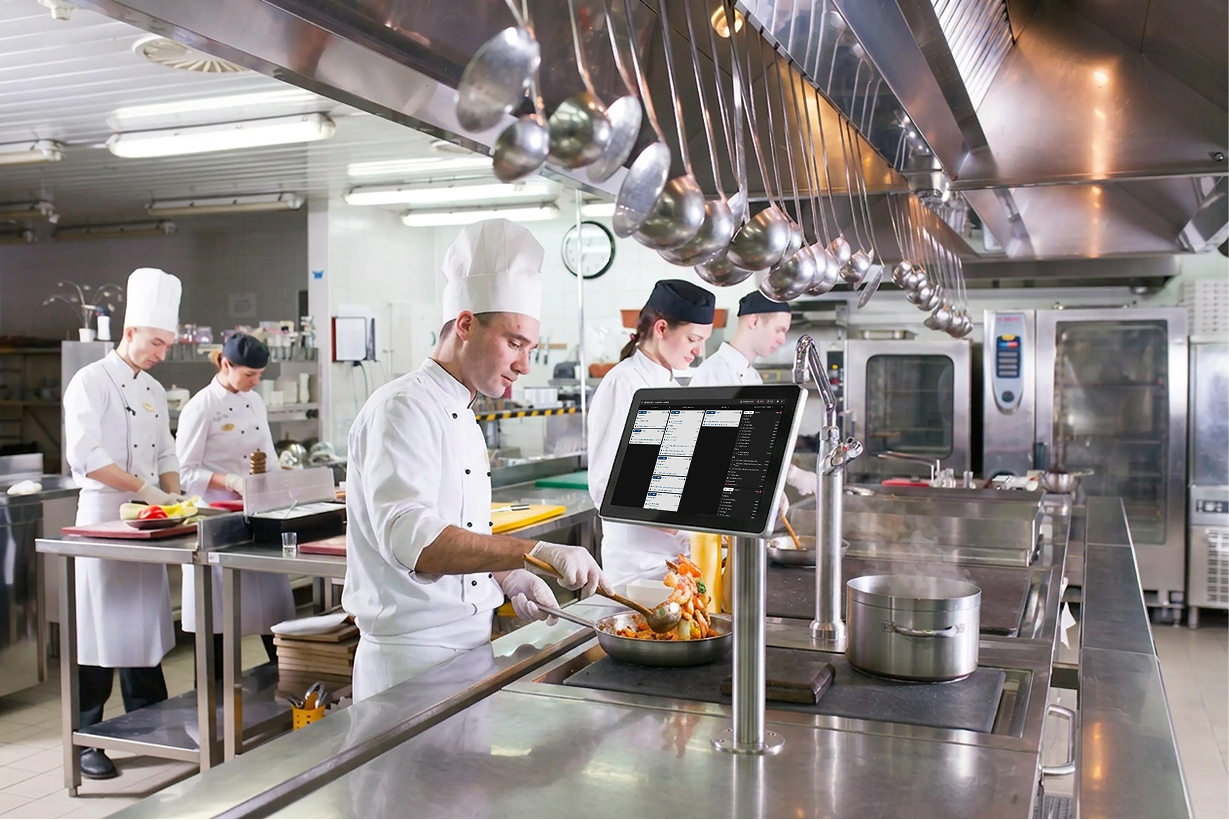
The kitchen display that quietly runs your kitchen. Orders land at the right station, timers keep prep on time, and paper finally retires.
Trusted by leading hospitality brands

















Every order is a card on a live board: new, cooking, ready, all on one screen. The kitchen keeps moving without paper, without runners, and without anyone shouting across the kitchen.
No more squinting at smudged paper or running tickets to the right station. Orders route themselves, timers nudge the kitchen, and every dish lands at the kitchen pass-through on cue.
−40% time on the pass
Retire the printer roll, the spike, the crumpled tickets in the bin. Workstation puts every order on the screen exactly where the cook needs it, and updates in real time.
Allergens, modifiers, special notes, and counts are right on the card, in big legible type. No more guessing what 'no nuts, guest is sensitive' looked like three orders ago.
How it works
From QR, kiosk, counter, or pickup, every order arrives the same way: a clean digital ticket.
Hot, cold, bar, fryer. Each item goes where it cooks. No runners, no shouted reminders.
To do
Cooking
Ready
Tickets move through three columns: To do, Cooking, Ready. Every station sees the same live board, in real time.
Pass
#4821The runner sees the table, the items, and every modifier. The ticket clears from the kitchen.
Smart station routing
Tag your items once: hot, cold, bar, dessert. Workstation does the rest. A burger goes to the grill, the salad goes to the cold pass, the drinks go to the bar. Each station only sees what it cooks, in the right order, with the right pacing. Multi-course tables? Workstation paces apps, mains, sides, and dessert so nothing sits under the lamps.
Customer story
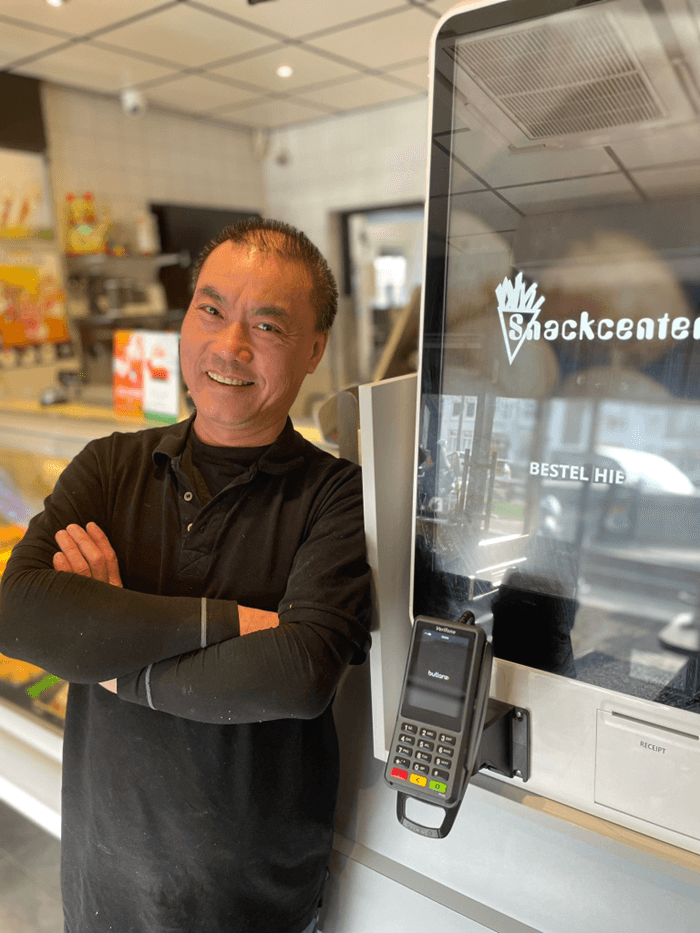
“I no longer waste any time taking orders and handling payments, allowing me to focus entirely on the most important thing: maximizing revenue during peak demand.”
Why kitchens love it
End printer rolls, ribbon spikes, and faded thermal tickets. Every order lives on the screen, and the kitchen runs cleaner, quite literally.
Tickets sort themselves by station, by course, by time on screen. No more guessing which order goes out next or whose modifier was whose.
One ticket lands on two, three, or four stations at once, each station seeing only what it needs to cook. No more passing paper down the kitchen.
Every card runs its own timer. Green, amber, red. The kitchen can see at a glance what's on time and what's about to slip.
Allergens print huge, in colour, right at the top of the card. Workstation makes it impossible to overlook a 'no gluten' or 'tree nut allergy' note.
Sides, swaps, sauces, extras. Every modification appears under the item, in legible type. No more handwriting roulette.
Tap to clear a finished item, swipe to bring back a mistake. The kitchen pass-through and the kitchen stay in sync without anyone shouting across the kitchen.
Starters are sent on order. Mains are sent when starters are cleared. Workstation paces tables so dessert never lands while mains are still on the table.
Orders flow in from QR, kiosks, click & collect, marketplaces, and your POS. Workstation is the single source of truth in the kitchen.
Switch on what you need on day one, layer in the rest as the kitchen grows.
Items route to hot, cold, bar, fryer, automatically.
One ticket on every station that touches it.
Tap to clear, swipe to bring it back. No paper.
Swaps and extras called out under each item.
Runs on what you have
Workstation runs on the hardware you already own, or anything you'd like to buy. Mount an iPad on a swing arm, install a wall-rated Android tablet, or hang a 27-inch kitchen display above the kitchen pass-through. Splash-resistant cases, glove-friendly touch, and an interface that works the same on every screen.
Orders flow in from every channel, tickets land on every screen, your POS sees the same picture. One source of truth.






No. Workstation runs on any iPad, Android tablet, or Windows touch screen you already own. If you want a clean, kitchen-grade setup we can recommend mounts and casings, but the software is yours to run on anything.
Tag each menu item with a station (hot, cold, bar, fryer, dessert, or any custom station you define). Workstation does the rest: every ticket lands at the right screens automatically, in the right course order.
Yes. A single ticket fans out to every station that touches it. The salad station sees the salad, the grill sees the burger, the bar sees the drink. Everyone clears their own items.
Yes. Most kitchens run both for a week or two. Workstation can send paper tickets to the printer in parallel, so the kitchen can switch over at their own pace.
Workstation reads orders from your POS and from every Butlaroo channel (QR, kiosk, click & collect, marketplaces). The major POS systems, Lightspeed, Oracle Micros, unTill, Trivec, Vectron and more, are supported out of the box.
Every screen caches the current shift locally and reconnects automatically. Cooks keep cooking. No lost tickets, no missed updates.
Yes. Starters are sent on order, mains are sent when starters are cleared, dessert holds until mains are cleared. You can override any of it from the kitchen pass-through with a tap.
Pricing depends on your setup. See current rates and a quick estimate for your restaurant on our pricing page.
See pricingOne AI-powered restaurant OS to support all ordering channels & operations.









We use cookies to make the site work, to understand how it is used, and (with your permission) to personalise marketing.